

Without internet connectivity, smartphones are practically worthless, but tourists sometimes find themselves without data or Wi-Fi in strange locations. When a phone is ready for offline use, it transforms from a brick into a useful device that can still navigate, entertain, and solve issues.
Here are some tips for making the most of your phone’s capabilities in the event of a signal outage so that you may continue to be prepared.
Download offline maps before leaving Wi-Fi

Google Maps allows users to download entire regions for offline use, including turn-by-turn navigation and business information. The maps take up storage space but work perfectly without data, providing the same functionality as online maps.
Downloading them while still connected prevents the panic of arriving in a new city with no way to navigate.
Save important documents as photos or PDFs

Boarding passes, hotel confirmations, tickets, and reservation details must be either captured in screenshots or stored as PDFs in offline-accessible applications. An internet connection is required for viewing email attachments, while local files are still accessible.
Like Travel Pug’s content? Follow us on MSN.
Use translation apps with offline language packs

Google Translate and similar applications are providing language packs that can be used offline and can be downloaded. The offline versions are able to translate the text, and some even provide camera-based translation for signs and menus.
If one downloads the languages corresponding to the destination country beforehand, then communication is still possible even in places without connectivity.
Preload entertainment for long journeys

Netflix, Spotify, and similar apps allow content downloads for offline viewing and listening. A few downloaded shows or playlists transform long bus rides or flights into entertainment rather than boredom.
The key is remembering to download before leaving the Wi-Fi, not after already being on the road.
Store emergency contact information in notes
Phone numbers for hotels, embassies, travel insurance, and emergency contacts should live in the phone’s native notes app. If the phone gets lost or stolen, having this information written down separately helps, but digital backups accessible offline provide quick reference when needed most.
Like Travel Pug’s content? Follow us on MSN.
Enable airplane mode to conserve battery
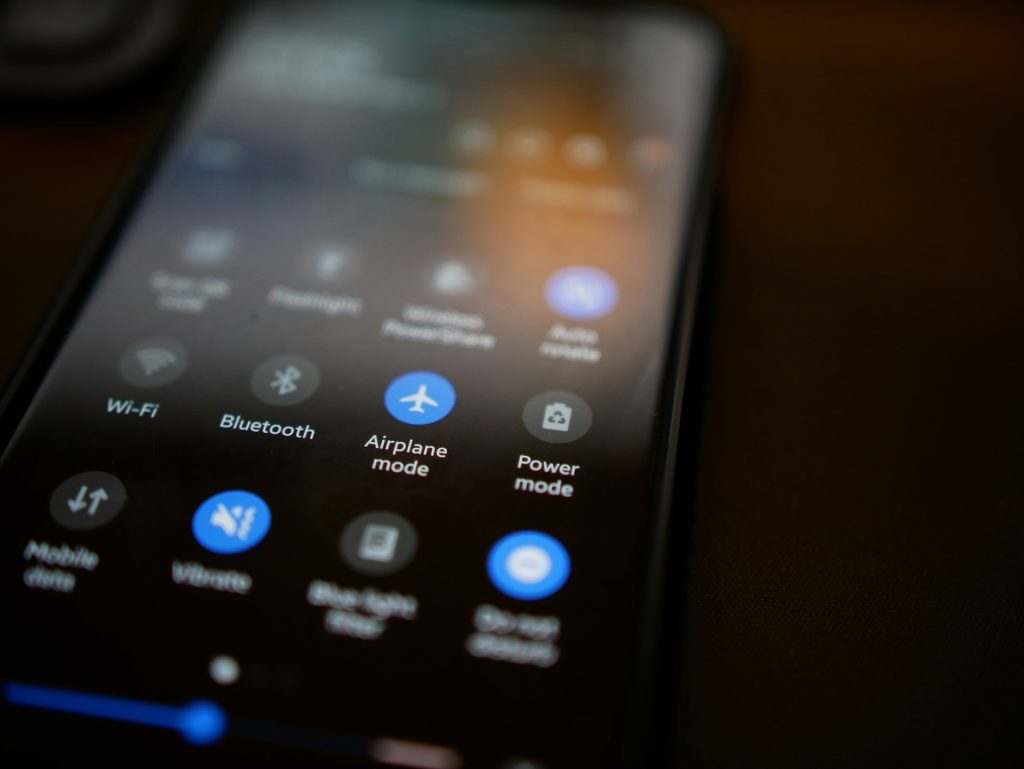
Searching for a signal constantly drains the battery faster than almost anything else. Airplane mode stops this behavior, extending battery life by hours. Toggling it off periodically to check for messages works better than letting the phone die searching for nonexistent networks.
Use offline navigation apps for hiking
Apps like Maps.me or Gaia GPS specialize in offline navigation for trails and remote areas where Google Maps falls short. These apps use detailed topographic maps and GPS coordinates that don’t require data, making them essential for backcountry travel where getting lost carries real consequences.
Take photos with location tags enabled

Even offline, phones record GPS coordinates in photo metadata. These tags help organize photos later and remember where specific shots were taken. The phone’s GPS works independently of internet access, silently tracking location even when everything else is offline.
Like Travel Pug’s content? Follow us on MSN.
Keep a digital copy of your passport and visa

Secure notes, encrypted storage apps, and a picture of the passport ID page and any visas are all stored on the phone. It expedites procedures at embassies or police stations if documents are misplaced or stolen, but it won’t take the place of a real passport.
Use the phone’s calculator for currency conversion

Without data, basic currency conversion is handled by a primitive calculator and pre-calculated exchange rates printed on notes. Alternatively, offline currency converter apps save current exchange rates that are accurate enough for fast estimations even when markets move a little.
Access travel guides downloaded in advance

Apps like TripAdvisor and Lonely Planet offer downloadable city guides with maps, restaurant recommendations, and attraction details. These guides work entirely offline, providing the same value as a physical guidebook but searchable and always updated to the last sync.
Like Travel Pug’s content? Follow us on MSN.
Record voice memos for journaling

Typing journal entries without autocorrect or distractions often works better offline anyway. Voice memos capture thoughts, experiences, and details that might be forgotten later.
They’re searchable once back online and require no connectivity to create.
Use the camera as a scanner

Restaurant menus, street signs, business cards, and important notices can be photographed for later reference. The photos serve as records that can be translated, shared, or simply reviewed when trying to remember details.
It’s low-tech but effective.
Store boarding passes in Wallet apps
Apple Wallet and Google Pay store boarding passes, event tickets, and loyalty cards that remain accessible offline. The barcodes scan without the internet, and the cards don’t disappear even when data does.
It’s one less thing to worry about at gates and entrances.
Like Travel Pug’s content? Follow us on MSN.
Enable offline podcast downloads

Podcast apps like Overcast or Pocket Casts automatically download new episodes when connected to Wi-Fi. Long train rides or waiting in airports become opportunities to catch up on shows without burning through data or relying on spotty connections.
Use the flashlight for more than lighting

A phone’s flashlight signals for help, illuminates dark hostel dorm rooms without disturbing others, and checks luggage contents in dimly lit spaces. It’s basic, but travelers forget how useful a reliable light source becomes in unfamiliar places.
Staying connected without connection

Planning is necessary when using an offline phone, but the benefits include freedom from Wi-Fi networks and data plans that frequently malfunction when you need them most. A well-prepared phone continues to be an effective Swiss Army knife, demonstrating that keeping informed, entertained, and on task does not necessarily require connectivity.
More from Travel Pug

- 20 Best Beach Towns in the Carolinas
- 13 Destinations Where Tourists Regularly Regret Their Trip
- 20 Things You Actually Get in First Class
- 20 Small Airports With Aviation Museums
- 20 Places in the U.S. That Are Perfect for a Reset Trip
Like Travel Pug’s content? Follow us on MSN.